

What is this and why is it on my Coco Pops?
The weird world of Navilens... at a subway station near you?

tl;dr: Navilens tags are found on cereal boxes, laundry pods and public transport, but I don’t know if they’re quite the system that visually impaired people deserve.
Last week, while reluctantly forking out for laundry pods, I was reminded of the existence of (what I now know to be called) Navilens, which is an accessibility system for the visually impaired that I had seen introduced, dismissed as a gimmick, and then promptly forgot about (as is typical).
But the last time I disregarded an accessibility feature at face value, it turned out I was quite wrong about it, and so it’s probably time to take a proper look.
What’s Navilens?
Navilens tags (maybe they’re called codes, maybe something else completely - I’m not sure it really matters that much) are colour matrix barcodes that are what I imagine would result if a CMYK print registration mark and a QR code had a baby.
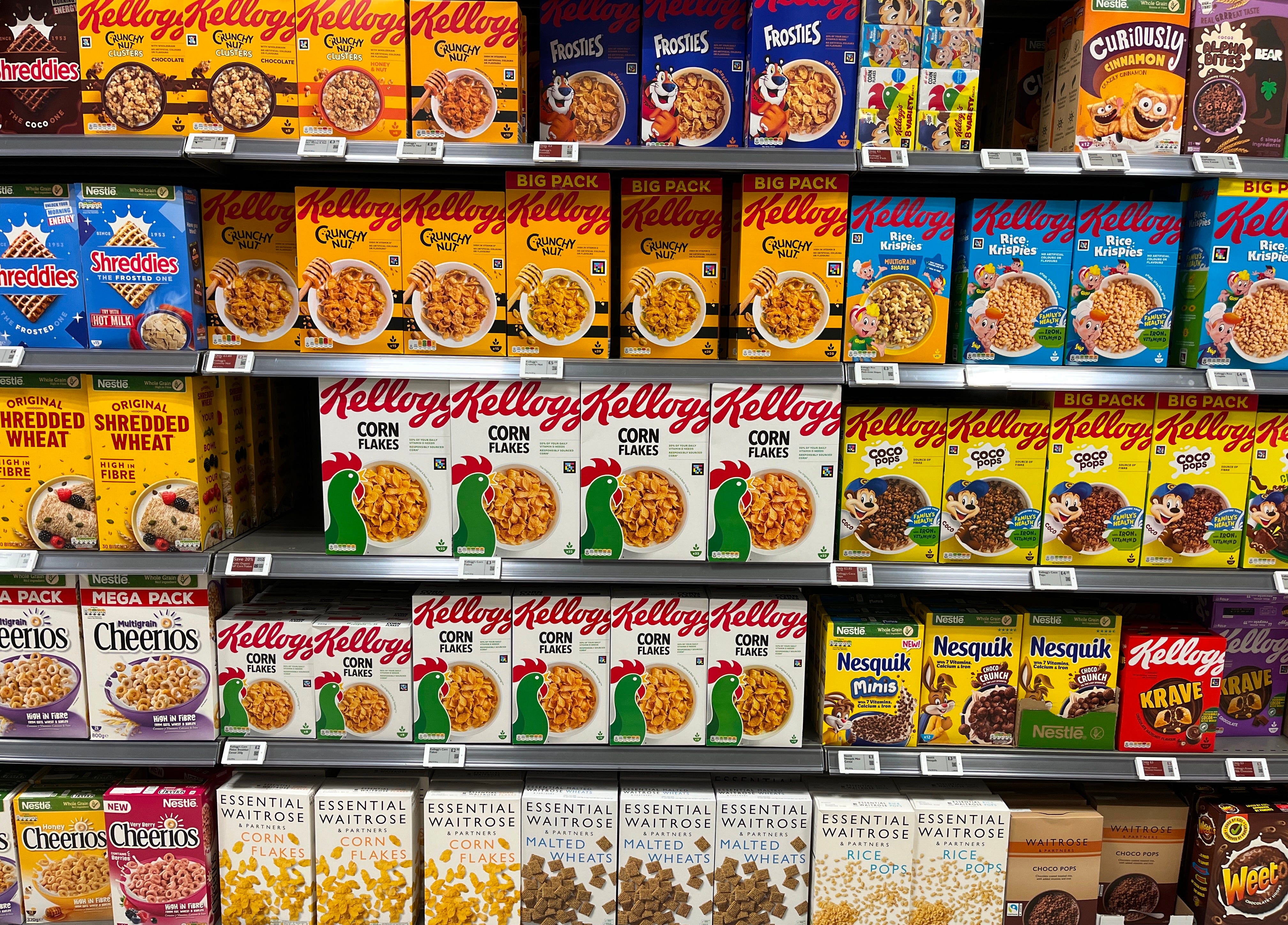
They look like this:
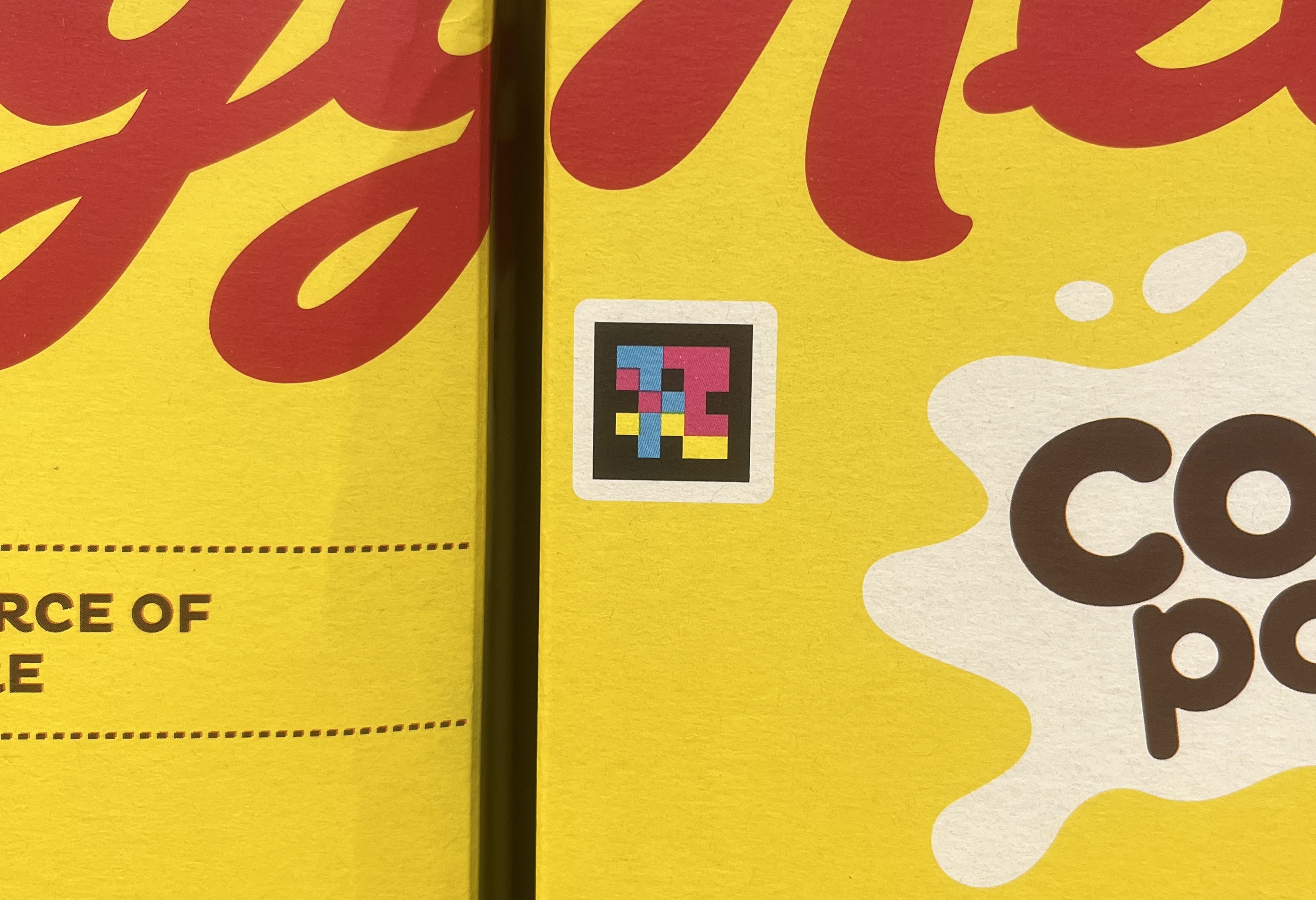
My understanding was that these tags were placed on supermarket products and, when scanned with a particular app, would give the user information about that product, such as nutritional data, ingredients and so on (everything you’d expect to find on the packaging) in an accessible format, so that they could be read by a screen reader or displayed however the user has their device set up.
And that is correct, more or less, but it turns out that it isn’t just this - when a user scans a Navilens tag with the Navilens app, it’s able to tell them how far away that tag is from them, and in which direction. This, I have to admit, makes it more interesting than it seemed at first.
The system was developed by the Mobile Vision Research Laboratory at the University of Alicante in Spain, and the tags, including algorithms for encoding and decoding them, in addition to the app itself appear to all be proprietary.
First thoughts
My original scepticism toward these tags had always been based on the idea that they were simply a ‘lookup’ tool for information about supermarket products, and this is probably the result of how they were presented by the media.
If we’re going to have a way of directly looking up the information about a product, why invent a whole new system of 2D barcode just for that? And then, why make it dependent on a single app - each manufacturer could just use a QR code that links to its own website providing accessible data about the product, for example.
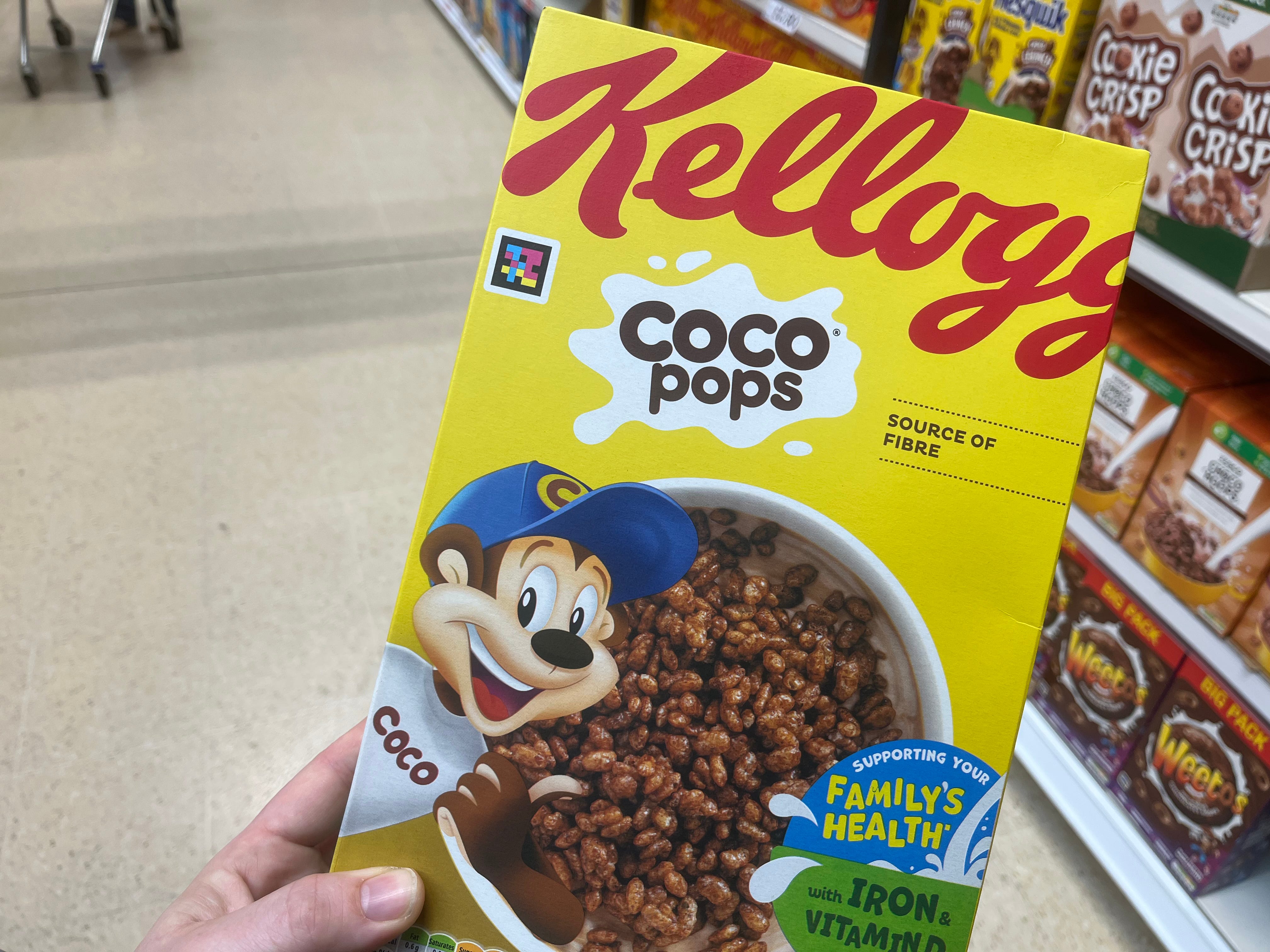
And products in supermarkets tend to already have unique machine-readable identifiers on them that could be used for this purpose: barcodes (remember those?). The problem with barcodes is that they’re normally on the bottom (or back) of packaging for scanning at checkouts and so they’re not typically on display on the shelf. If you want to be able to scan information about items without picking up each one, then you’d have to arrange for barcodes to be moved to the front on every single product, and that seems… unlikely to happen.
Anyway, were this to just have been a proprietary product information lookup system, as I’d previously believed it was, then there’s no way I could get behind it.
Spatial
The spatial-directional side of Navilens makes things more interesting.
With this, you can point your phone at somewhere there might be a Navilens tag, or maybe there are many, and in addition to looking up whatever information the tag is supposed to convey, it will also tell the user where those tags are - roughly how far away they are, and in which direction - a sort of inverse AR, if you like.
If you’re visually impaired or blind, then it’s easy to see how this could be super liberating. Here’s a lovely video of a woman called Lucy being able to find Coco Pops in the cereal aisle using Navlens:
But wait…
If we step back and think for a moment, what is this supposed to be doing?
From what I can tell, the goals seem to be to help users:
identify products and access information about them in an accessible format;
find specific products in a given space, such as a supermarket aisle; and
navigate around a space by giving them information that would otherwise be displayed on signs.
I can’t help but feel these might be all a little bit muddled. The first two seem quite coherent, but the third one feels like it’s been bolted on the side.
But let’s roll with it, shall we?
Real life
Because I don’t want to slate something that I haven’t used, I went out to my local Tesco equipped with the Navilens app and well, it was an interesting experience.
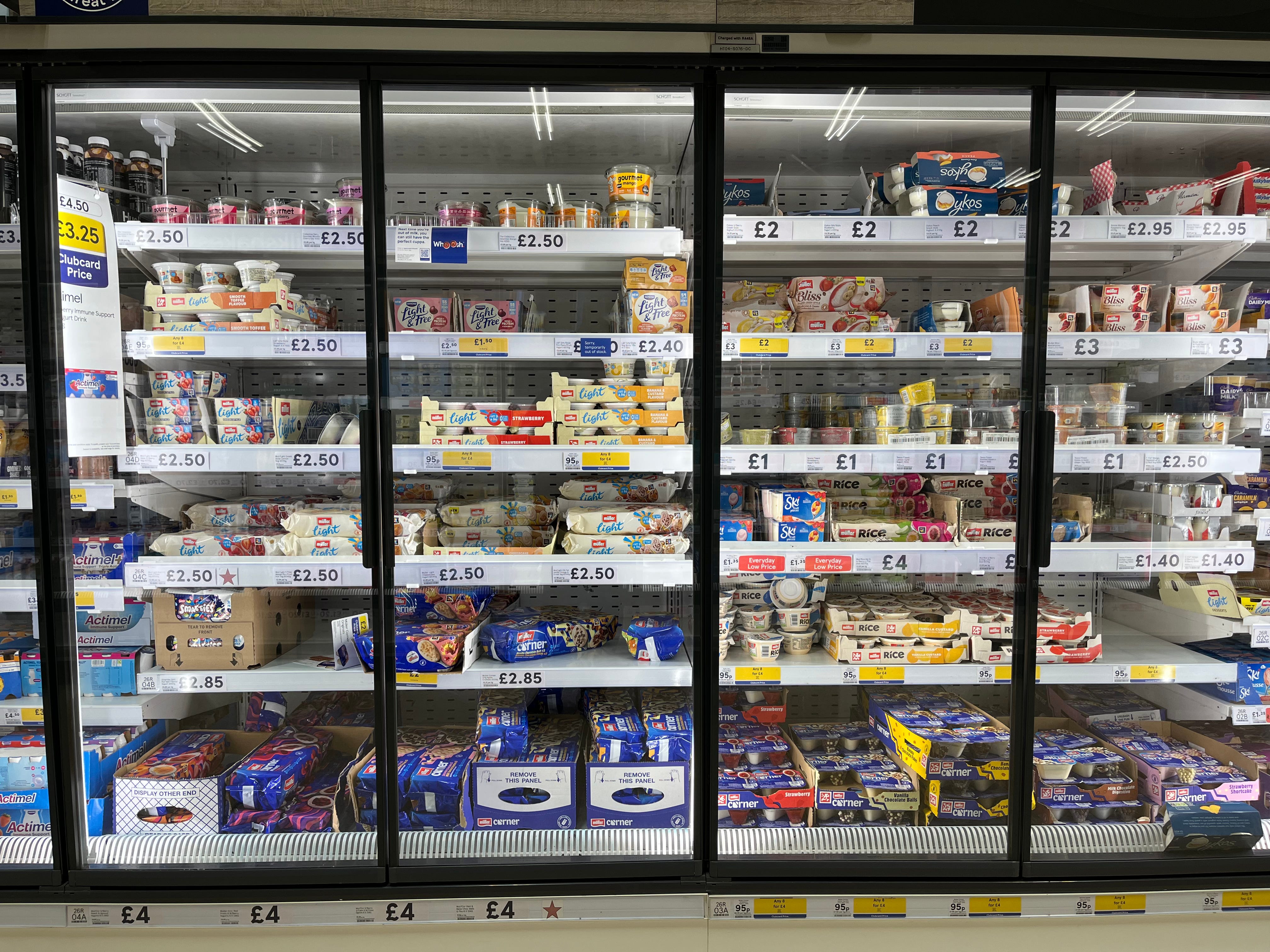
Here’s me trying to use it in the yoghurts section, where the app takes a little while to start picking up the many tags it can see, but once it does, it very quickly starts identifying them and reading out product names:
The only products in this section with Navilens are made by Müller. And yes, it does make that submarine sound out loud. boop…… boop…… boop……
For each item, you can press ‘Show more’ to see a load of text about the product with nutrition information, and you can also press ‘Locate’ and it will direct you toward that specific tag. You can also filter by the tag you want to find (although I didn’t do this).
Anyway, what I learnt during my submarining expedition around Tesco was as follows:
it does find tags very quickly (which is REALLY hard to do with the naked eye amongst all the colourful packaging);
the locate function does seem to work fairly well when trying to find a product on a busy shelf in front of you; but
it gets really overwhelming when there’s lots of tags at the same time and the app is making popcorn popping sounds and shouting names out at you;
it completely fails when you don’t have WiFi or data - every tag just reads “No internet connection”, rendering the app useless; and
it really struggles with the tag on a red Pringles tube. (I’m not sure why they’re still selling Christmas Pringles in mid-March, but it also didn’t work for the red Fallout-themed Pringles. (Also my friend Andrew made the joke ‘Kris Pringle’ and he’s ever so proud of himself, even though I don’t think it’s particularly funny.))
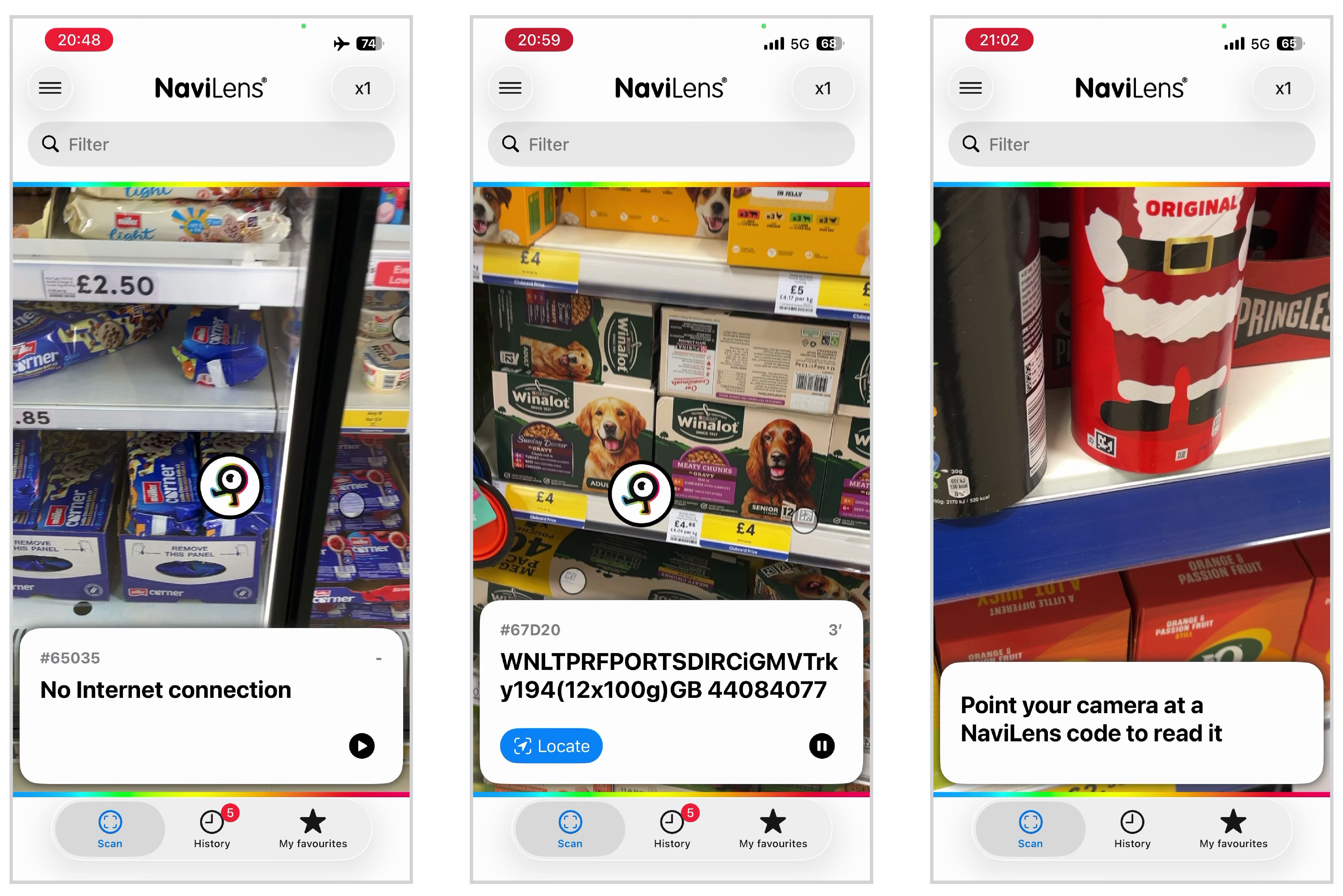
While these are issues with manufacturers’ implementation, I also found:
it’s only as useful as the information that the manufacturers provide, which in the case of pet food, seems to be random strings of abbreviated text and numbers; and
some products only have the Navilens tag on the top of the packaging, meaning the app can’t see those products when pointing at the shelf.
So it’s not exactly… ideal. But it does still work for the most part.
I have a bunch of screen recordings from various aisles in the supermarket, trying out different features and seeing what works - too many to include here. If you’re interested, I’ve uploaded them to a Google Drive folder here.
Hack job
The thing that I can’t help getting stuck on is that, well, none of the app’s features seem to be particularly intrinsic to the Navilens tag itself. And even then, the tag isn’t storing any product data - it’s just a random identifier that is used to look up product information from their servers over the internet.
Working out distance is a matter of knowing the size of the physical tag, and some basic details about the device’s camera. Knowing the direction relative to the device is a matter of recognising the tag’s position in the camera image. And so, these are just features of the app, not of the tag itself.
If I had a red square that I knew to be 30cm wide, how hard would it be to hack together an app that uses a phone’s camera to figure out how far away the square is and which direction it’s in? It sounds complicated, but realistically I’m sure there will be existing code libraries, probably open source ones at that, which would do most of the complex legwork too.
Nothing about the tag itself - other than presumably encoding the size that it’s printed at - seems to be particularly special with respect to these ‘spatial’ features. (The only thing that seems to be special is that the use of colour allows it to encode a given amount of data with a less dense pattern than a normal QR code.)
Now, let’s replace our hypothetical red square with a QR code, or some other two dimensional barcode that either links to a manufacturer’s website, or is a custom URI that links to some open platform (think like… wikinav:123asdf4) that can provide the information, or even just encodes the product data itself, and you’ve got the same sort of thing, haven’t you?
I’m not about to do this, naturally, but it really seems like the sort of thing that would make a cool little university project (which, it seems, is exactly what this started as).
Wayfinding
Now, readers will know I love wayfinding, and the system purports to be useful for navigating environments such as subway stations. (‘Navi’ is in the name, after all…)
But how does that work? By putting tags on signs that convey the information that those signs otherwise say, of course! The idea is that people can navigate using information on (tags on) signs ahead of them and know how far those signs are and in which direction.
New York’s MTA has recently had a $2 million grant to look at using the system on their network, with Navilens rolling out on 6 line subway stations and trains, and on Bx12-SBS buses1, and while I’m happy to see investment in accessibility technology, I just don’t think this is the solution for helping these passengers move around a station or transport network.
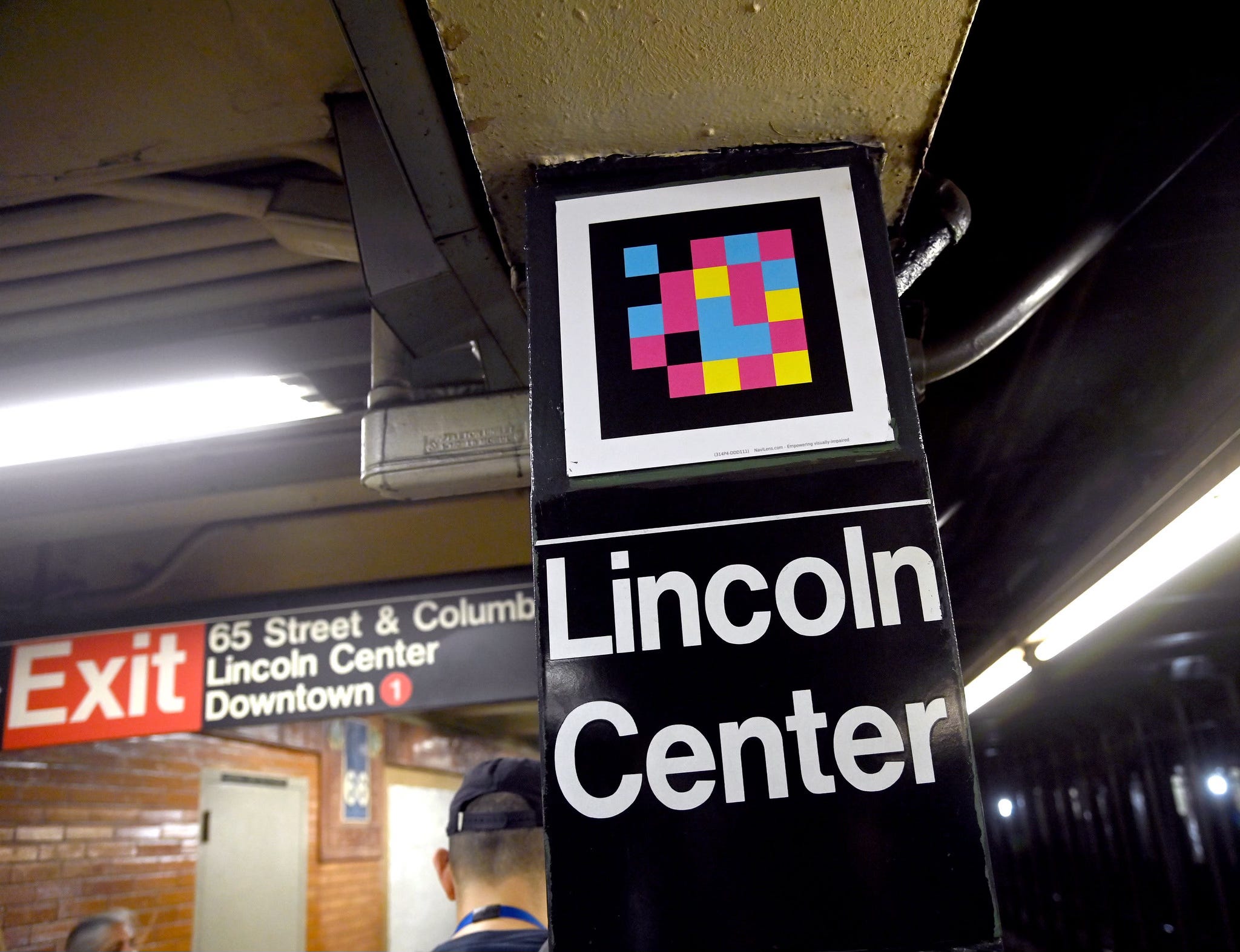
A blind or visually impaired person walking around pointing a phone up at signs so it can read a tag out to them? Really? Why are we using tags at all? It’s still going to need to look up information on some distant server so will require an internet connection, whereas the information that is going to be communicated to users (or the static wayfinding information, at least) is already on the signs that the tag is on, and we’re pointing a camera at them.
And just… why are we using a system of colours and light and cameras to allow a device to locate itself in a given space? And we’re also looking up the meaning of tags via the internet? (One day I’ll rant about the absurdity of sending television and internet via SPACE…)
Separately, and I know it’s very London-brained of me, all I can imagine is someone making their way around holding their phone out and then yoink - someone has snatched it and all they’re left with are hopes, dreams and a Met Police Crime Reference Number.
My initial inclination is that the solution would be some sort of beacon system - probably Bluetooth Low Energy (BLE) - that can be easily and unobtrusively deployed, and can then be read by devices to work out their position within a confusingly laid out, labyrinthine space such as… a subway station! This already exists - MTR were trialling something similar in Hong Kong almost a decade ago, although I don’t know what became of it. And that’s the technology used by Apple Air Tags and Tile, both of which are well established at this point.
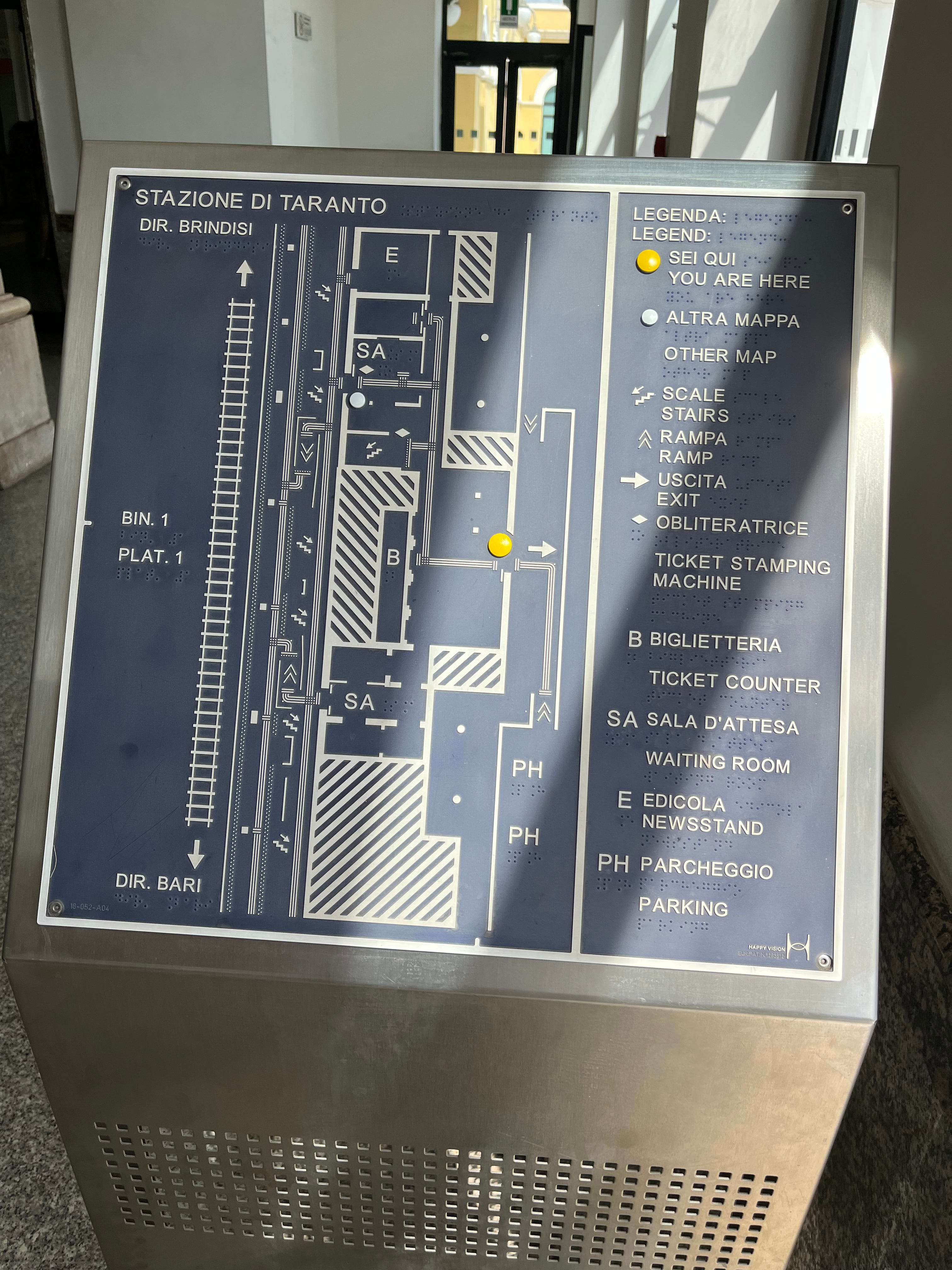
Fun fact: Train stations in Italy have these excellent braille layout diagrams, which are combined with tactile paving snaking around to allow the blind and visually impaired to easily navigate. No technology needed, although you would have to plan where you’re going and memorise your route.
Here’s one I saw at Taranto in 2022:
Live information
A fourth objective seems to have been snuck in, perhaps to give additional justification when pitching the system to transit agencies for trials, which is to provide real time passenger information - except, it’s not very good at doing it.
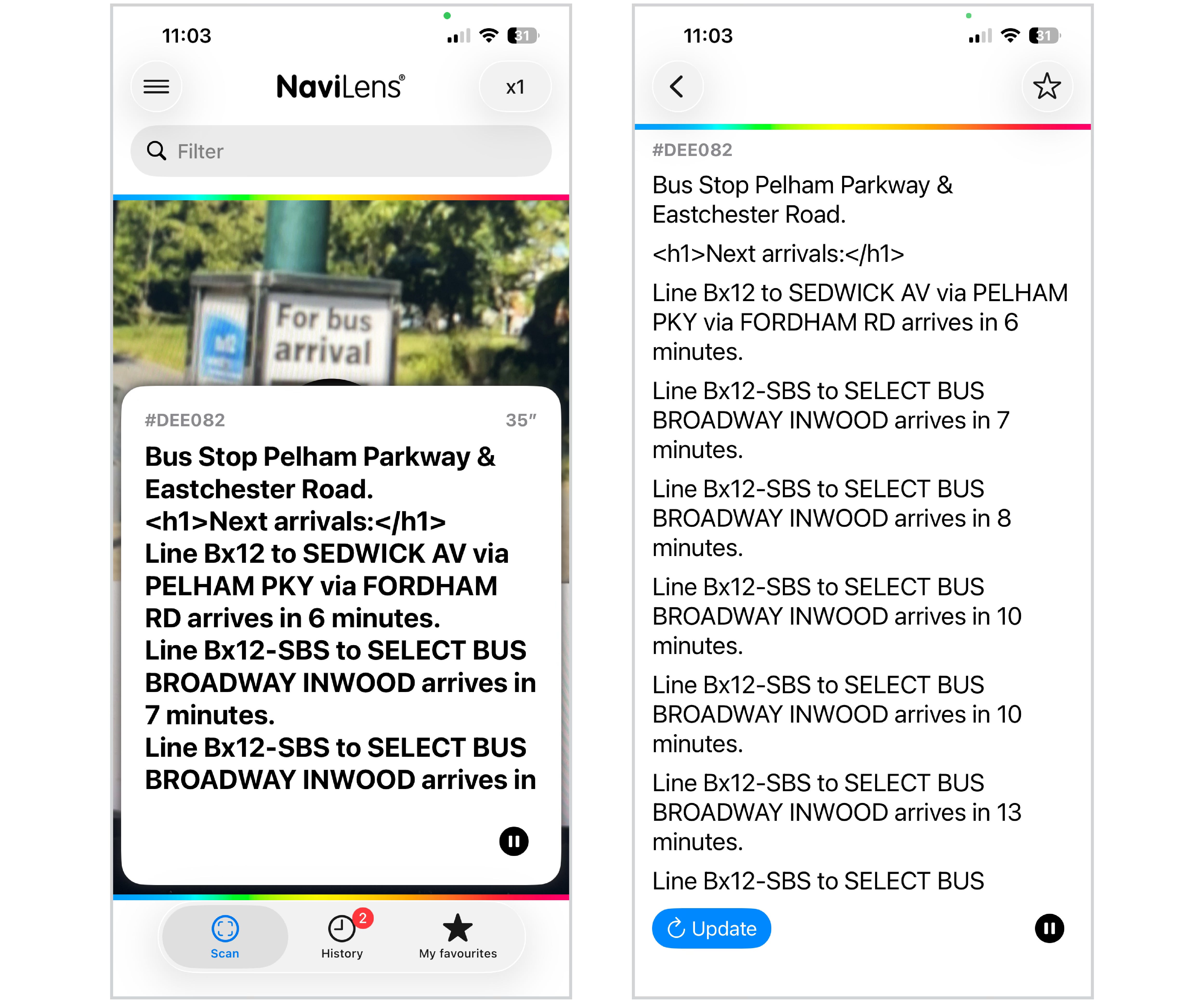
And on that, transport apps already exist and can be made perfectly accessible to those using screen readers or other accessibility tools (if they’re not already), so why would we push blind or visually impaired users onto a proprietary closed system to access real time departure information for a bus stop?
This is a thing that the MTA want people to use, apparently:
I just tried using TfL Go (a relatively new in-house app) using Voiceover on my phone to find out when the next bus was at the nearest stop. I didn’t need to scan anything, and I think it did a stellar job:
I struggled a bit, but that’s a PEBCAK mostly because it’s very hard to unlearn how to use a smartphone.
The information was more coherently formatted than whatever’s going on with the MTA Navilens bus information shown above, and I particularly liked that it doesn’t just read out what’s displayed, instead adding in important words like ‘route’ and ‘then’: “Route 97, Stratford City Bus Station, 12 then 17 then 24 minutes.” It even correctly reads out three-digit route numbers as individual digits (or at least one of them) in proper London-style. (I wonder why we do that…)
I’m going to end up looking at how well different transport apps fare using accessibility tools, aren’t I? Sigh...
Market penetration
You’ll notice that you don’t see Navilens everywhere. Anyone might think that, for such a revolutionary accessible product, it’d be on everything. Except it isn’t.
In the UK, it’s currently found on breakfast cereals made by Kellogg’s (and also Weetabix), laundry products under the various brands made by P&G (Ariel, Bold, Lenor, Fairy, etc.), Müller dairy products, Pringles and some pet food. Other brands that it might appear on seem to just be sub-brands of the same massive corporates.
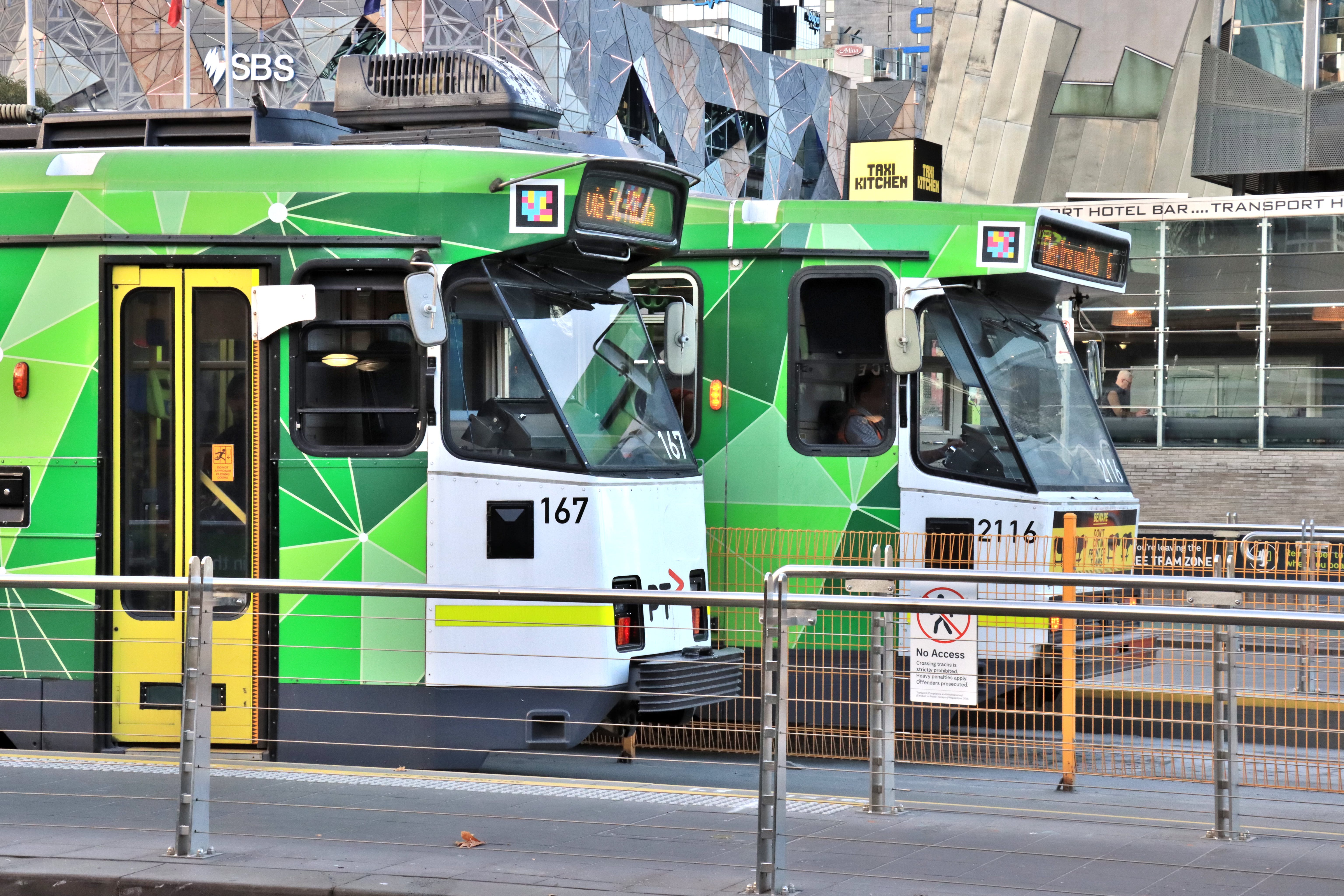
In Spain, it’s in use on Murcia’s transit network including trams, and in the city’s Archeological museum. Above, it’s seen on trams in Melbourne, ‘stralia. And then it’s seeing limited use on the MTA in New York City, as I mentioned. It seems to have been trialled in various places, including on the DLR for 6 months in 2023, and then quietly dropped, but I could only guess as to why.
The problem - as I see it - with this system is the dependency on a closed ecosystem and requirement for a proprietary app to interpret proprietary tags.
Remember when scanning QR codes required downloading a QR code scanner app - that defeated the point, right? It was a big part of my beef with people putting them everywhere because they looked high tech when it’d often just be quicker to type in whatever they were linking to. Nowadays you can just open your camera app and it picks them up automatically, and so it actually makes sense.
Navilens seems to require those wanting to use it on their products to licence the system - they have to pay to offer it. It’s free for end users, but what that results in is the big corporate brands having Navilens on their products and the others being invisible to the visually impaired. And who is that good for?
End
I like what this product set out to achieve, and I can’t really blame them for wanting to monetise it. I also think it’s admirable that such big companies have decided to licence it and roll it out across their brands, but I just don’t think that this is the solution.
The video of Lucy in the supermarket is fantastic, but only until you consider it’s only going to be useful in a handful of aisles, and even then, half the products in those aisles remain completely invisible to her. I’m very happy that she can find her Coco Pops, but I want her to be able to find everything.
A younger (and seemingly much wiser) me once wrote “being more useful than nothing should absolutely never be the benchmark to which we rate information systems. (Or anything, for that matter.)” when talking about Countdown, and I have to say that this absolutely applies here.
What I wish this was is something open, deployable by brands on their packaging without having to “buy in” to a proprietary ecosystem, and maybe even decentralised.
With such a model, there’d be no reason for brands not to put the tags on their products, the functionality would therefore be more useful to the visually impaired or blind, consequently have more users, and the end result would be more comprehensive and universal accessibility.
Such a system could potentially even find itself supported and interpreted by multiple apps or even built into device operating systems themselves (in the same way that QR reading is built into the camera on Android and iOS).
But this proprietary, closed system isn’t that, and can’t really ever be. And it limits itself and its utility because of that.
No matter the technical advantages of however they’ve chosen to implement the tags, being delivered through a closed stack just means it fails at the first hurdle.
It’s not the best comparison, but imagine if you had to pay for a licence to put braille on your products.
You don’t, of course - accessibility shouldn’t have a price tag.
My knowledge of what these things are is decidedly limited.
To add a transport-related note to your excellent article, Navilens Go was trialled at London Euston (this post of my legacy X account, no longer used, has an image - https://x.com/BeautyOfTranspt/status/1526625448465137667?s=20). I don't know what Network Rail concluded exactly from the trail but the fact that it hasn't been rolled out at other stations might suggest an answer. I know there were concerns about adding extra signage or extra features to existing signage at the station (an interesting example of informational conflicts between two different user groups). To make the system work, there were a lot of the Navilens QR codes around the station. There seem to be no provisions for anything similar in Network Rail's latest Wayfinding design manual.